Best Free Website Builder in 2026
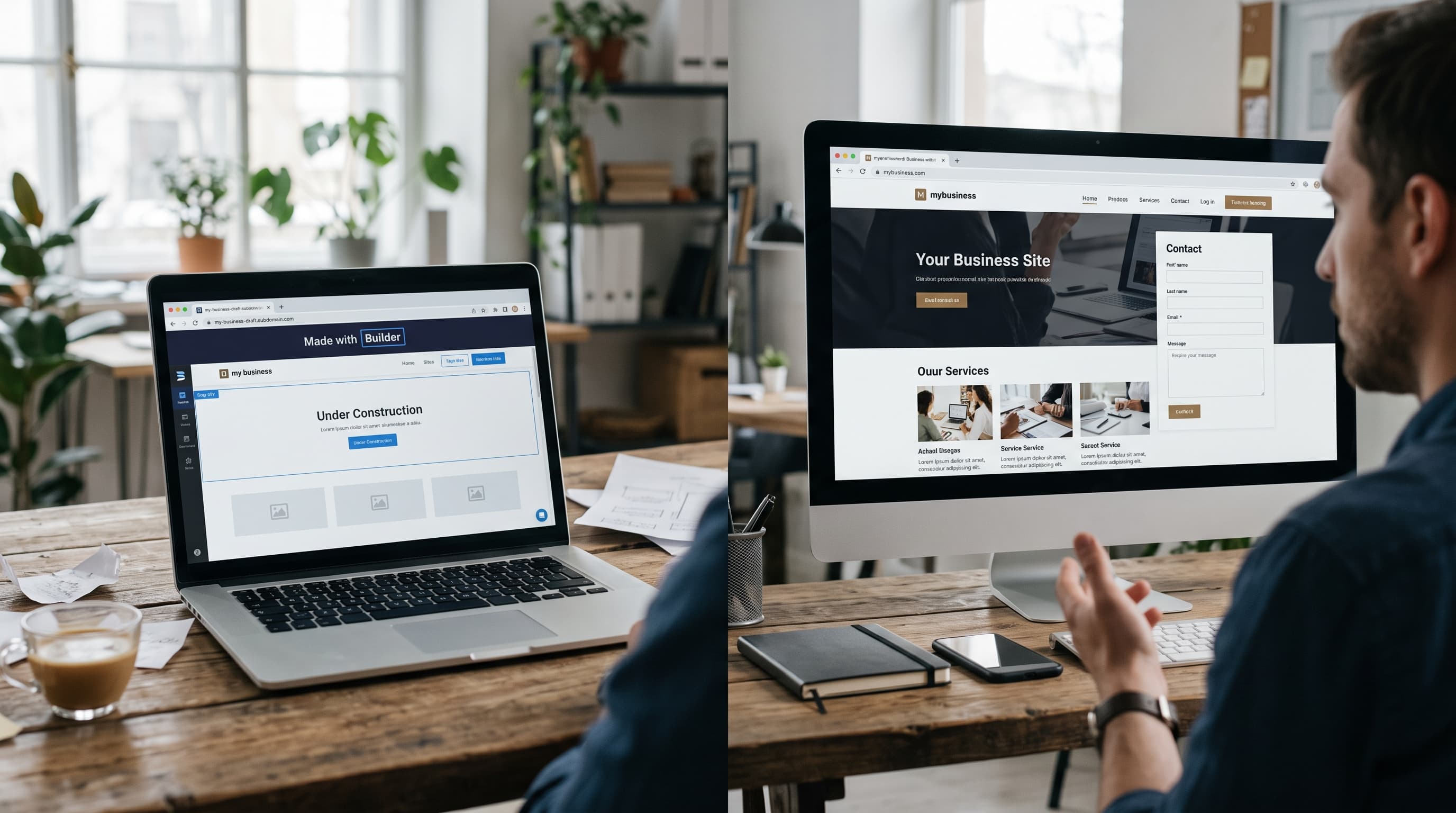
Most website builders have a free tier, but "free" varies a lot in what it actually lets you do. Some free plans are only a test drive; others can run a real small site indefinitely. Here is how to tell the difference, and which options are worth your time.
What "free" usually means
Almost every free plan shares the same limits:
- A subdomain such as yourname.builder.com instead of your own domain.
- Builder branding — a banner or footer link promoting the platform.
- Limited storage and features, often without online payments, forms integrations, or advanced SEO settings.
These limits are fine for a hobby project, a test, or a personal page. They are a problem for a business, where a branded subdomain looks less trustworthy to customers.
Genuinely usable free plans
Wix is usable for a real small site if you don't mind branding, and it gives you access to the same editor and templates as paid plans — useful for building the whole site before deciding to upgrade.
Weebly offers a simple free tier with an easy editor, well suited to basic personal or club sites.
WordPress.com has a free tier that works well for starting a blog, with a clear upgrade path if the site grows.
Webflow lets you design and publish on a free subdomain, which is ideal for learning the tool or prototyping, though a custom domain requires a paid site plan.
Site123 has a free plan aimed at total beginners who want a guided setup.
The cheapest paid option
Carrd has a free plan for one-page sites, and its Pro plan costs about $19/year — about as close to free as a paid plan gets, with a custom domain and forms for simple one-page sites.
When to stay free — and when to upgrade
Stay on a free plan when:
- the site is personal, temporary, or a learning project;
- you are building the full site before launching it publicly;
- you are comparing two builders before committing.
Upgrade when:
- the site represents a business and needs a custom domain;
- you want to accept payments or bookings;
- you need to remove ads or builder branding;
- you need more storage, analytics, or SEO controls.
How to avoid surprises
Check whether the free plan is permanent. A time-limited trial is not a free plan. Some builders offer only trials, so the site goes offline unless you pay.
Look at upgrade prices before building. If you are likely to upgrade, compare the paid plan you will eventually need, including renewal pricing, not just the free features.
Plan for your domain. You can register a domain separately and connect it later when you upgrade, which keeps it portable if you ever switch platforms.
Keep copies of your content. Store your text and images outside the builder so moving later is easier.
Example: three free sites that make sense
A student portfolio. A design student wants to show coursework to internship recruiters. A Wix or Webflow free plan is enough at first; the subdomain is acceptable for a personal portfolio, and the work can move to a custom domain after graduation.
A neighbourhood club. A book club needs a page with meeting dates and a contact email. Weebly's or Site123's free plan covers that without any cost.
A personal blog. Someone testing whether they enjoy writing regularly can start on WordPress.com's free tier and upgrade only once publishing becomes a habit.
Frequently asked questions
Can a free website rank on Google? Yes, free sites can appear in search results, but limited SEO settings and a subdomain make it harder to compete for valuable searches. Businesses benefit from upgrading.
Will my free site disappear? A permanent free plan stays online as long as the platform's terms are followed. Trials, by contrast, end — so confirm which one you are using.
Can I keep my content if I upgrade? Yes. Upgrading on the same platform keeps everything in place and simply unlocks features such as a custom domain.
Our recommendation
For most people starting a small site for free, Wix offers the best combination of design options and room to grow. For a blog, start on WordPress.com. For a single focused page, Carrd's free or low-cost plan is hard to beat.
See our full Free Website Builder list for the complete ranked picks, or compare every platform in our full rating.